
BLOGGER TUTORIAL AND TRICKS N0-22
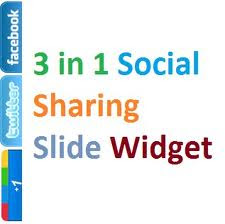
I shared Animated Flash Label Cloud widget. Today I'm going to release another Awesome blogger widget that contain all the 3 Big Social Network(Facebook, Twitter, Google Plus) jQuery Slide Out Widget For Your Blog & Website To Increase Your Social Fans.
So we have three different Pop up Like Boxes which appears on hover on little image that are at right sidebar on you blog.
One of the best ways to increase your Social fans is to add the Jquery Pop-up Social Box to your Blog. Once this widget is installed on your blog, your visitors will be shown a slide out box with the option to like your Facebook Page, or want to follow on Twitter, or want to add you in there circle whenever they visit your blog. Advantages this widget is to free space on the page. Because if you add all of these widget on your site/blog, it will take a huge space that will make your visitor angry, It can prevent website normal as the box. Static widget as soft box with jQuery effect of activation for the blogger, this is another cool control. Here I have added as the box with simple jQuery hover effect.
FEATURES:
1.) J-Query/JavaScript Widget.
2.) Slide-Out On Hover.
3.) Awesome And Stylish.
4.) Facebook Like Box Included.
5.) Twitter Followers Box Included.
6.) Google Plus Follower Box Included.
7.) Sliding Effect Enabled.
8.) Slide Out On Hove And Get Back On Mouse Out.
HOW TO ADD THIS GADGET TO BLOGGER?
Login to your Blogger account.
Go to Design > Page Elements.
Click Add A Gadget.
In Add A Gadget window, select HTML/Javascript .
Copy the code below and paste it inside the window.
Click Save.
-------------------------------------------------CODE----------------
<style>img, a { border: 0;}#on { visibility: visible;}#off { visibility: hidden;}#facebook_div { width: 196px; height: 340px; overflow: hidden;}#twitter_div { width: 246px; height: 240px; overflow: hidden;}#google_plus_div { width: 290px; height: 250px; overflow: hidden; margin-left: 5px; margin-top: 1px;}#NBT_div { width: 300px; height: 97px; overflow: hidden;}/* right side style */ #facebook_right { z-index: 10005; border: 2px solid #3c95d9; background-color: #fff; width: 196px; height: 353px; position: fixed; right: -200px;}#facebook_right img { position: absolute; top: -2px; left: -35px;}#facebook_right iframe { border: 0px solid #3c95d9; overflow: hidden; position: static; height: 360px; left: -2px; top: -3px;}#twitter_right { z-index: 10004; border: 2px solid #6CC5FF; background-color: #6CC5FF; width: 246px; height: 240px; position: fixed; right: -250px;}#twitter_right_img { position: absolute; top: -2px; left: -35px; border: 0;}#google_plus_right { z-index: 10003; background-color: #F2F2F2; border: 2px solid #006ec9; border-top: 2px solid #0056a0; border-bottom: 2px solid #0056a0; border-right: 2px solid #0056a0; border-left: 2px solid #0056a0; width: 290px; height: 250px; position: fixed; right: -294px;}#google_plus_right_img { position: absolute; top: -2px; left: -33px; border: 0;}#NBT_right { z-index: 10003; border: 2px solid #303030; background-color: #fff; width: 300px; height: 97px; position: fixed;}#NBT_right img { position: absolute; top: -2px; left: -101px;}/* left side style */ #facebook_left { z-index: 10005; border: 2px solid #3c95d9; background-color: #fff; width: 196px; height: 250px; position: fixed; left: -200px;}#facebook_left img { position: absolute; top: -2px; right: -35px;}#facebook_left iframe { border: 0px solid #3c95d9; overflow: hidden; position: static; height: 360px; right: -2px; top: -3px;}#twitter_left { z-index: 10004; border: 2px solid #6CC5FF; background-color: #6CC5FF; width: 246px; height: 250px; position: fixed; left: -250px;}#twitter_left_img { position: absolute; top: -2px; right: -35px; border: 0;}#google_plus_left { z-index: 10003; background-color: #006ec9; border: 2px solid #006ec9; border-top: 2px solid #0056a0; border-bottom: 2px solid #0056a0; border-left: 2px solid #0056a0; border-right: 2px solid #0056a0; width: 290px; height: 250px; position: fixed; left: -294px;}#google_plus_left_img { position: absolute; top: -2px; right: -33px; border: 0;}</style><script src="http://code.jquery.com/jquery-latest.js"></script><script src="http://apis.google.com/js/plusone.js" type="text/javascript"></script><script type="text/javascript">jQuery(document).ready(function () { jQuery("#facebook_right").hover(function () { jQuery(this).stop(true, false).animate({ right: 0 }, 500); }, function () { jQuery("#facebook_right").stop(true, false).animate({ right: -200 }, 500); }); jQuery("#twitter_right").hover(function () { jQuery(this).stop(true, false).animate({ right: 0 }, 500); }, function () { jQuery("#twitter_right").stop(true, false).animate({ right: -250 }, 500); }); jQuery("#google_plus_right").hover(function () { jQuery(this).stop(true, false).animate({ right: 0 }, 500); }, function () { jQuery("#google_plus_right").stop(true, false).animate({ right: -294 }, 500); });});</script></span></b><br /><div id="on"> <div id="facebook_right" style="top: 12%;"> <div id="facebook_div"> <img alt="" src="https://blogger.googleusercontent.com/img/b/R29vZ2xl/AVvXsEiR74KJQUT4bx5t46asadb0fr_2SQjr_jwEVW-UqA0jKhb8vR7i6LeOVNxa1_2R7RgaFLr9wvztcxb8ZFbBcBTScqmf1jqEYIxjl2rdgGG6ta6KQMVtu3Ezy_Pp_EQBOVcpK9rVUpeudQGw/s1600/NBTfacebook_right.png" /> <iframe allowtransparency="true" frameborder="0" scrolling="no" src="//www.facebook.com/plugins/likebox.php?href=http%3A%2F%2Fwww.facebook.com%2FFaceBook Page ID&width=200&height=346&colorscheme=light&show_faces=true&border_color&stream=false&header=false" style="border: none; height: 346px; overflow: hidden; width: 200px;"></iframe> </div> </div></div><div id="on"> <div id="twitter_right" style="top: 28%;"> <div id="twitter_div"> <img id="twitter_right_img" src="https://blogger.googleusercontent.com/img/b/R29vZ2xl/AVvXsEiM73fWev9ch_I-Ht2ELVk5wXFORyvyNn6IfvGAwH46L8mLeZrpaNm_kN3EkYBsJVwIfFWfeZ8Gcab19orteAiKCnfnjxUJzII-DmW-Sh6JyJDs0gXqyiKTvKD0WXweUcd2O94GWVe4J3M5/s1600/NBTtwitter_right.png" /> <script type='text/javascript'>function fanbox_init(screen_name){document.getElementById('twitterfanbox').innerHTML='<iframe name="fbfanIFrame_0" frameborder="0" allowtransparency="true" src="http://s.moopz.com/connect.html?user='+screen_name+'" class="FB_SERVER_IFRAME" scrolling="no" style="width: 300px; height: 250px; border-top-style: none; border-right-style: none; border-bottom-style: none; border-left-style: none; border-width: initial; border-color: initial; "></iframe>';}</script> <div id="twitterfanbox"> <script type="text/javascript">fanbox_init("Twitter Username");</script> </div> </div></div><div id="on"> <div id="google_plus_right" style="top: 45%;"> <div id="google_plus_div"> <img id="google_plus_right_img" src="https://blogger.googleusercontent.com/img/b/R29vZ2xl/AVvXsEi0ZOlUV0KX4jC6DnPmZxGtrp9J8wpAprw1qOhN-0oBJyxokNGXlZP4Nr4TTReD9LhAgza_4CUxcDoLLYdI91RWaUtZfzKxiRYGyxs4hBJFnRWJeIB-Nev1TXGdgg2ihREVxah6I8_PC8k/s1600/NBTgoogle_plus_right.png" /> <div style="float: left; margin: 10px 10px 10px 0;"> <a href='http://newbloggertips.com'><img alt='Tips Tricks And Tutorials' src='https://blogger.googleusercontent.com/img/b/R29vZ2xl/AVvXsEibPHZlXk6-EW2Eb6kFW6ZPJz5nQq5-4-_pJSzBAkUhGOjCIQsjLEzb0Fdo0n0qECUwmk0jPCraGlcTRL9nJplGHmg-23U-nwJyxfe6SjLU83kyNbu-kn1EUDEp12PUe8UdjyWvaF2gQtwU/s1600/best+blogger+tips.png'/></a> <div class="g-plus" data-action="followers" data-height="250" data-href="https://plus.google.com/Google Plus ID" data-source="blogger:blog:followers" data-width="270"> </div> <script type="text/javascript"> (function() { window.___gcfg = {'lang': 'en'}; var po = document.createElement('script'); po.type = 'text/javascript'; po.async = true; po.src = 'https://apis.google.com/js/plusone.js'; var s = document.getElementsByTagName('script')[0]; s.parentNode.insertBefore(po, s); })(); </script> </div> </div> </div> <style>img, a { border: 0;}#on { visibility: visible;}#off { visibility: hidden;}#facebook_div { width: 196px; height: 340px; overflow: hidden;}#twitter_div { width: 246px; height: 240px; overflow: hidden;}#google_plus_div { width: 290px; height: 250px; overflow: hidden; margin-left: 5px; margin-top: 1px;}#NBT_div { width: 300px; height: 97px; overflow: hidden;}/* right side style */ #facebook_right { z-index: 10005; border: 2px solid #3c95d9; background-color: #fff; width: 196px; height: 353px; position: fixed; right: -200px;}#facebook_right img { position: absolute; top: -2px; left: -35px;}#facebook_right iframe { border: 0px solid #3c95d9; overflow: hidden; position: static; height: 360px; left: -2px; top: -3px;}#twitter_right { z-index: 10004; border: 2px solid #6CC5FF; background-color: #6CC5FF; width: 246px; height: 240px; position: fixed; right: -250px;}#twitter_right_img { position: absolute; top: -2px; left: -35px; border: 0;}#google_plus_right { z-index: 10003; background-color: #F2F2F2; border: 2px solid #006ec9; border-top: 2px solid #0056a0; border-bottom: 2px solid #0056a0; border-right: 2px solid #0056a0; border-left: 2px solid #0056a0; width: 290px; height: 250px; position: fixed; right: -294px;}#google_plus_right_img { position: absolute; top: -2px; left: -33px; border: 0;}#NBT_right { z-index: 10003; border: 2px solid #303030; background-color: #fff; width: 300px; height: 97px; position: fixed;}#NBT_right img { position: absolute; top: -2px; left: -101px;}/* left side style */ #facebook_left { z-index: 10005; border: 2px solid #3c95d9; background-color: #fff; width: 196px; height: 250px; position: fixed; left: -200px;}#facebook_left img { position: absolute; top: -2px; right: -35px;}#facebook_left iframe { border: 0px solid #3c95d9; overflow: hidden; position: static; height: 360px; right: -2px; top: -3px;}#twitter_left { z-index: 10004; border: 2px solid #6CC5FF; background-color: #6CC5FF; width: 246px; height: 250px; position: fixed; left: -250px;}#twitter_left_img { position: absolute; top: -2px; right: -35px; border: 0;}#google_plus_left { z-index: 10003; background-color: #006ec9; border: 2px solid #006ec9; border-top: 2px solid #0056a0; border-bottom: 2px solid #0056a0; border-left: 2px solid #0056a0; border-right: 2px solid #0056a0; width: 290px; height: 250px; position: fixed; left: -294px;}#google_plus_left_img { position: absolute; top: -2px; right: -33px; border: 0;}</style><script src="http://code.jquery.com/jquery-latest.js"></script><script src="http://apis.google.com/js/plusone.js" type="text/javascript"></script><script type="text/javascript">jQuery(document).ready(function () { jQuery("#facebook_right").hover(function () { jQuery(this).stop(true, false).animate({ right: 0 }, 500); }, function () { jQuery("#facebook_right").stop(true, false).animate({ right: -200 }, 500); }); jQuery("#twitter_right").hover(function () { jQuery(this).stop(true, false).animate({ right: 0 }, 500); }, function () { jQuery("#twitter_right").stop(true, false).animate({ right: -250 }, 500); }); jQuery("#google_plus_right").hover(function () { jQuery(this).stop(true, false).animate({ right: 0 }, 500); }, function () { jQuery("#google_plus_right").stop(true, false).animate({ right: -294 }, 500); });});</script></span></b><br /><div id="on"> <div id="facebook_right" style="top: 12%;"> <div id="facebook_div"> <img alt="" src="https://blogger.googleusercontent.com/img/b/R29vZ2xl/AVvXsEiR74KJQUT4bx5t46asadb0fr_2SQjr_jwEVW-UqA0jKhb8vR7i6LeOVNxa1_2R7RgaFLr9wvztcxb8ZFbBcBTScqmf1jqEYIxjl2rdgGG6ta6KQMVtu3Ezy_Pp_EQBOVcpK9rVUpeudQGw/s1600/NBTfacebook_right.png" /> <iframe allowtransparency="true" frameborder="0" scrolling="no" src="//www.facebook.com/plugins/likebox.php?href=http%3A%2F%2Fwww.facebook.com%2FFaceBook Page ID&width=200&height=346&colorscheme=light&show_faces=true&border_color&stream=false&header=false" style="border: none; height: 346px; overflow: hidden; width: 200px;"></iframe> </div> </div></div><div id="on"> <div id="twitter_right" style="top: 28%;"> <div id="twitter_div"> <img id="twitter_right_img" src="https://blogger.googleusercontent.com/img/b/R29vZ2xl/AVvXsEiM73fWev9ch_I-Ht2ELVk5wXFORyvyNn6IfvGAwH46L8mLeZrpaNm_kN3EkYBsJVwIfFWfeZ8Gcab19orteAiKCnfnjxUJzII-DmW-Sh6JyJDs0gXqyiKTvKD0WXweUcd2O94GWVe4J3M5/s1600/NBTtwitter_right.png" /> <script type='text/javascript'>function fanbox_init(screen_name){document.getElementById('twitterfanbox').innerHTML='<iframe name="fbfanIFrame_0" frameborder="0" allowtransparency="true" src="http://s.moopz.com/connect.html?user='+screen_name+'" class="FB_SERVER_IFRAME" scrolling="no" style="width: 300px; height: 250px; border-top-style: none; border-right-style: none; border-bottom-style: none; border-left-style: none; border-width: initial; border-color: initial; "></iframe>';}</script> <div id="twitterfanbox"> <script type="text/javascript">fanbox_init("Twitter Username");</script> </div> </div></div><div id="on"> <div id="google_plus_right" style="top: 45%;"> <div id="google_plus_div"> <img id="google_plus_right_img" src="https://blogger.googleusercontent.com/img/b/R29vZ2xl/AVvXsEi0ZOlUV0KX4jC6DnPmZxGtrp9J8wpAprw1qOhN-0oBJyxokNGXlZP4Nr4TTReD9LhAgza_4CUxcDoLLYdI91RWaUtZfzKxiRYGyxs4hBJFnRWJeIB-Nev1TXGdgg2ihREVxah6I8_PC8k/s1600/NBTgoogle_plus_right.png" /> <div style="float: left; margin: 10px 10px 10px 0;"> <a href='http://newbloggertips.com'><img alt='Tips Tricks And Tutorials' src='https://blogger.googleusercontent.com/img/b/R29vZ2xl/AVvXsEibPHZlXk6-EW2Eb6kFW6ZPJz5nQq5-4-_pJSzBAkUhGOjCIQsjLEzb0Fdo0n0qECUwmk0jPCraGlcTRL9nJplGHmg-23U-nwJyxfe6SjLU83kyNbu-kn1EUDEp12PUe8UdjyWvaF2gQtwU/s1600/best+blogger+tips.png'/></a> <div class="g-plus" data-action="followers" data-height="250" data-href="https://plus.google.com/Google Plus ID" data-source="blogger:blog:followers" data-width="270"> </div> <script type="text/javascript"> (function() { window.___gcfg = {'lang': 'en'}; var po = document.createElement('script'); po.type = 'text/javascript'; po.async = true; po.src = 'https://apis.google.com/js/plusone.js'; var s = document.getElementsByTagName('script')[0]; s.parentNode.insertBefore(po, s); })(); </script> </div> </div> </div> <style>img, a { border: 0;}#on { visibility: visible;}#off { visibility: hidden;}#facebook_div { width: 196px; height: 340px; overflow: hidden;}#twitter_div { width: 246px; height: 240px; overflow: hidden;}#google_plus_div { width: 290px; height: 250px; overflow: hidden; margin-left: 5px; margin-top: 1px;}#NBT_div { width: 300px; height: 97px; overflow: hidden;}/* right side style */ #facebook_right { z-index: 10005; border: 2px solid #3c95d9; background-color: #fff; width: 196px; height: 353px; position: fixed; right: -200px;}#facebook_right img { position: absolute; top: -2px; left: -35px;}#facebook_right iframe { border: 0px solid #3c95d9; overflow: hidden; position: static; height: 360px; left: -2px; top: -3px;}#twitter_right { z-index: 10004; border: 2px solid #6CC5FF; background-color: #6CC5FF; width: 246px; height: 240px; position: fixed; right: -250px;}#twitter_right_img { position: absolute; top: -2px; left: -35px; border: 0;}#google_plus_right { z-index: 10003; background-color: #F2F2F2; border: 2px solid #006ec9; border-top: 2px solid #0056a0; border-bottom: 2px solid #0056a0; border-right: 2px solid #0056a0; border-left: 2px solid #0056a0; width: 290px; height: 250px; position: fixed; right: -294px;}#google_plus_right_img { position: absolute; top: -2px; left: -33px; border: 0;}#NBT_right { z-index: 10003; border: 2px solid #303030; background-color: #fff; width: 300px; height: 97px; position: fixed;}#NBT_right img { position: absolute; top: -2px; left: -101px;}/* left side style */ #facebook_left { z-index: 10005; border: 2px solid #3c95d9; background-color: #fff; width: 196px; height: 250px; position: fixed; left: -200px;}#facebook_left img { position: absolute; top: -2px; right: -35px;}#facebook_left iframe { border: 0px solid #3c95d9; overflow: hidden; position: static; height: 360px; right: -2px; top: -3px;}#twitter_left { z-index: 10004; border: 2px solid #6CC5FF; background-color: #6CC5FF; width: 246px; height: 250px; position: fixed; left: -250px;}#twitter_left_img { position: absolute; top: -2px; right: -35px; border: 0;}#google_plus_left { z-index: 10003; background-color: #006ec9; border: 2px solid #006ec9; border-top: 2px solid #0056a0; border-bottom: 2px solid #0056a0; border-left: 2px solid #0056a0; border-right: 2px solid #0056a0; width: 290px; height: 250px; position: fixed; left: -294px;}#google_plus_left_img { position: absolute; top: -2px; right: -33px; border: 0;}</style><script src="http://code.jquery.com/jquery-latest.js"></script><script src="http://apis.google.com/js/plusone.js" type="text/javascript"></script><script type="text/javascript">jQuery(document).ready(function () { jQuery("#facebook_right").hover(function () { jQuery(this).stop(true, false).animate({ right: 0 }, 500); }, function () { jQuery("#facebook_right").stop(true, false).animate({ right: -200 }, 500); }); jQuery("#twitter_right").hover(function () { jQuery(this).stop(true, false).animate({ right: 0 }, 500); }, function () { jQuery("#twitter_right").stop(true, false).animate({ right: -250 }, 500); }); jQuery("#google_plus_right").hover(function () { jQuery(this).stop(true, false).animate({ right: 0 }, 500); }, function () { jQuery("#google_plus_right").stop(true, false).animate({ right: -294 }, 500); });});</script></span></b><br /><div id="on"> <div id="facebook_right" style="top: 12%;"> <div id="facebook_div"> <img alt="" src="https://blogger.googleusercontent.com/img/b/R29vZ2xl/AVvXsEiR74KJQUT4bx5t46asadb0fr_2SQjr_jwEVW-UqA0jKhb8vR7i6LeOVNxa1_2R7RgaFLr9wvztcxb8ZFbBcBTScqmf1jqEYIxjl2rdgGG6ta6KQMVtu3Ezy_Pp_EQBOVcpK9rVUpeudQGw/s1600/NBTfacebook_right.png" /> <iframe allowtransparency="true" frameborder="0" scrolling="no" src="//www.facebook.com/plugins/likebox.php?href=http%3A%2F%2Fwww.facebook.com%2FFaceBook Page ID&width=200&height=346&colorscheme=light&show_faces=true&border_color&stream=false&header=false" style="border: none; height: 346px; overflow: hidden; width: 200px;"></iframe> </div> </div></div><div id="on"> <div id="twitter_right" style="top: 28%;"> <div id="twitter_div"> <img id="twitter_right_img" src="https://blogger.googleusercontent.com/img/b/R29vZ2xl/AVvXsEiM73fWev9ch_I-Ht2ELVk5wXFORyvyNn6IfvGAwH46L8mLeZrpaNm_kN3EkYBsJVwIfFWfeZ8Gcab19orteAiKCnfnjxUJzII-DmW-Sh6JyJDs0gXqyiKTvKD0WXweUcd2O94GWVe4J3M5/s1600/NBTtwitter_right.png" /> <script type='text/javascript'>function fanbox_init(screen_name){document.getElementById('twitterfanbox').innerHTML='<iframe name="fbfanIFrame_0" frameborder="0" allowtransparency="true" src="http://s.moopz.com/connect.html?user='+screen_name+'" class="FB_SERVER_IFRAME" scrolling="no" style="width: 300px; height: 250px; border-top-style: none; border-right-style: none; border-bottom-style: none; border-left-style: none; border-width: initial; border-color: initial; "></iframe>';}</script> <div id="twitterfanbox"> <script type="text/javascript">fanbox_init("Twitter Username");</script> </div> </div></div><div id="on"> <div id="google_plus_right" style="top: 45%;"> <div id="google_plus_div"> <img id="google_plus_right_img" src="https://blogger.googleusercontent.com/img/b/R29vZ2xl/AVvXsEi0ZOlUV0KX4jC6DnPmZxGtrp9J8wpAprw1qOhN-0oBJyxokNGXlZP4Nr4TTReD9LhAgza_4CUxcDoLLYdI91RWaUtZfzKxiRYGyxs4hBJFnRWJeIB-Nev1TXGdgg2ihREVxah6I8_PC8k/s1600/NBTgoogle_plus_right.png" /> <div style="float: left; margin: 10px 10px 10px 0;"> <a href='http://newbloggertips.com'><img alt='Tips Tricks And Tutorials' src='https://blogger.googleusercontent.com/img/b/R29vZ2xl/AVvXsEibPHZlXk6-EW2Eb6kFW6ZPJz5nQq5-4-_pJSzBAkUhGOjCIQsjLEzb0Fdo0n0qECUwmk0jPCraGlcTRL9nJplGHmg-23U-nwJyxfe6SjLU83kyNbu-kn1EUDEp12PUe8UdjyWvaF2gQtwU/s1600/best+blogger+tips.png'/></a> <div class="g-plus" data-action="followers" data-height="250" data-href="https://plus.google.com/Google Plus ID" data-source="blogger:blog:followers" data-width="270"> </div> <script type="text/javascript"> (function() { window.___gcfg = {'lang': 'en'}; var po = document.createElement('script'); po.type = 'text/javascript'; po.async = true; po.src = 'https://apis.google.com/js/plusone.js'; var s = document.getElementsByTagName('script')[0]; s.parentNode.insertBefore(po, s); })(); </script> </div> </div> </div> <style>img, a { border: 0;}#on { visibility: visible;}#off { visibility: hidden;}#facebook_div { width: 196px; height: 340px; overflow: hidden;}#twitter_div { width: 246px; height: 240px; overflow: hidden;}#google_plus_div { width: 290px; height: 250px; overflow: hidden; margin-left: 5px; margin-top: 1px;}#NBT_div { width: 300px; height: 97px; overflow: hidden;}/* right side style */ #facebook_right { z-index: 10005; border: 2px solid #3c95d9; background-color: #fff; width: 196px; height: 353px; position: fixed; right: -200px;}#facebook_right img { position: absolute; top: -2px; left: -35px;}#facebook_right iframe { border: 0px solid #3c95d9; overflow: hidden; position: static; height: 360px; left: -2px; top: -3px;}#twitter_right { z-index: 10004; border: 2px solid #6CC5FF; background-color: #6CC5FF; width: 246px; height: 240px; position: fixed; right: -250px;}#twitter_right_img { position: absolute; top: -2px; left: -35px; border: 0;}#google_plus_right { z-index: 10003; background-color: #F2F2F2; border: 2px solid #006ec9; border-top: 2px solid #0056a0; border-bottom: 2px solid #0056a0; border-right: 2px solid #0056a0; border-left: 2px solid #0056a0; width: 290px; height: 250px; position: fixed; right: -294px;}#google_plus_right_img { position: absolute; top: -2px; left: -33px; border: 0;}#NBT_right { z-index: 10003; border: 2px solid #303030; background-color: #fff; width: 300px; height: 97px; position: fixed;}#NBT_right img { position: absolute; top: -2px; left: -101px;}/* left side style */ #facebook_left { z-index: 10005; border: 2px solid #3c95d9; background-color: #fff; width: 196px; height: 250px; position: fixed; left: -200px;}#facebook_left img { position: absolute; top: -2px; right: -35px;}#facebook_left iframe { border: 0px solid #3c95d9; overflow: hidden; position: static; height: 360px; right: -2px; top: -3px;}#twitter_left { z-index: 10004; border: 2px solid #6CC5FF; background-color: #6CC5FF; width: 246px; height: 250px; position: fixed; left: -250px;}#twitter_left_img { position: absolute; top: -2px; right: -35px; border: 0;}#google_plus_left { z-index: 10003; background-color: #006ec9; border: 2px solid #006ec9; border-top: 2px solid #0056a0; border-bottom: 2px solid #0056a0; border-left: 2px solid #0056a0; border-right: 2px solid #0056a0; width: 290px; height: 250px; position: fixed; left: -294px;}#google_plus_left_img { position: absolute; top: -2px; right: -33px; border: 0;}</style><script src="http://code.jquery.com/jquery-latest.js"></script><script src="http://apis.google.com/js/plusone.js" type="text/javascript"></script><script type="text/javascript">jQuery(document).ready(function () { jQuery("#facebook_right").hover(function () { jQuery(this).stop(true, false).animate({ right: 0 }, 500); }, function () { jQuery("#facebook_right").stop(true, false).animate({ right: -200 }, 500); }); jQuery("#twitter_right").hover(function () { jQuery(this).stop(true, false).animate({ right: 0 }, 500); }, function () { jQuery("#twitter_right").stop(true, false).animate({ right: -250 }, 500); }); jQuery("#google_plus_right").hover(function () { jQuery(this).stop(true, false).animate({ right: 0 }, 500); }, function () { jQuery("#google_plus_right").stop(true, false).animate({ right: -294 }, 500); });});</script></span></b><br /><div id="on"> <div id="facebook_right" style="top: 12%;"> <div id="facebook_div"> <img alt="" src="https://blogger.googleusercontent.com/img/b/R29vZ2xl/AVvXsEiR74KJQUT4bx5t46asadb0fr_2SQjr_jwEVW-UqA0jKhb8vR7i6LeOVNxa1_2R7RgaFLr9wvztcxb8ZFbBcBTScqmf1jqEYIxjl2rdgGG6ta6KQMVtu3Ezy_Pp_EQBOVcpK9rVUpeudQGw/s1600/NBTfacebook_right.png" /> <iframe allowtransparency="true" frameborder="0" scrolling="no" src="//www.facebook.com/plugins/likebox.php?href=http%3A%2F%2Fwww.facebook.com%2FFaceBook Page ID&width=200&height=346&colorscheme=light&show_faces=true&border_color&stream=false&header=false" style="border: none; height: 346px; overflow: hidden; width: 200px;"></iframe> </div> </div></div><div id="on"> <div id="twitter_right" style="top: 28%;"> <div id="twitter_div"> <img id="twitter_right_img" src="https://blogger.googleusercontent.com/img/b/R29vZ2xl/AVvXsEiM73fWev9ch_I-Ht2ELVk5wXFORyvyNn6IfvGAwH46L8mLeZrpaNm_kN3EkYBsJVwIfFWfeZ8Gcab19orteAiKCnfnjxUJzII-DmW-Sh6JyJDs0gXqyiKTvKD0WXweUcd2O94GWVe4J3M5/s1600/NBTtwitter_right.png" /> <script type='text/javascript'>function fanbox_init(screen_name){document.getElementById('twitterfanbox').innerHTML='<iframe name="fbfanIFrame_0" frameborder="0" allowtransparency="true" src="http://s.moopz.com/connect.html?user='+screen_name+'" class="FB_SERVER_IFRAME" scrolling="no" style="width: 300px; height: 250px; border-top-style: none; border-right-style: none; border-bottom-style: none; border-left-style: none; border-width: initial; border-color: initial; "></iframe>';}</script> <div id="twitterfanbox"> <script type="text/javascript">fanbox_init("Twitter Username");</script> </div> </div></div><div id="on"> <div id="google_plus_right" style="top: 45%;"> <div id="google_plus_div"> <img id="google_plus_right_img" src="https://blogger.googleusercontent.com/img/b/R29vZ2xl/AVvXsEi0ZOlUV0KX4jC6DnPmZxGtrp9J8wpAprw1qOhN-0oBJyxokNGXlZP4Nr4TTReD9LhAgza_4CUxcDoLLYdI91RWaUtZfzKxiRYGyxs4hBJFnRWJeIB-Nev1TXGdgg2ihREVxah6I8_PC8k/s1600/NBTgoogle_plus_right.png" /> <div style="float: left; margin: 10px 10px 10px 0;"> <a href='http://newbloggertips.com'><img alt='Tips Tricks And Tutorials' src='https://blogger.googleusercontent.com/img/b/R29vZ2xl/AVvXsEibPHZlXk6-EW2Eb6kFW6ZPJz5nQq5-4-_pJSzBAkUhGOjCIQsjLEzb0Fdo0n0qECUwmk0jPCraGlcTRL9nJplGHmg-23U-nwJyxfe6SjLU83kyNbu-kn1EUDEp12PUe8UdjyWvaF2gQtwU/s1600/best+blogger+tips.png'/></a> <div class="g-plus" data-action="followers" data-height="250" data-href="https://plus.google.com/Google Plus ID" data-source="blogger:blog:followers" data-width="270"> </div> <script type="text/javascript"> (function() { window.___gcfg = {'lang': 'en'}; var po = document.createElement('script'); po.type = 'text/javascript'; po.async = true; po.src = 'https://apis.google.com/js/plusone.js'; var s = document.getElementsByTagName('script')[0]; s.parentNode.insertBefore(po, s); })(); </script> </div> </div> </div>
----------------------------------------------------------------------------
Replace FaceBook Page, Twitter Username, Google Plus ID with yours.
E.g: FaceBook Page: khuedhsp
Twitter Username: khuedhsp
Google Plus ID: 114750070216667007480
Now Save & Visit Your Blog. You have Done!
I notice a growing trend towards using pictures to link to posts. Pinterest effect perhaps? Anyway, some people code the pictures listing manually in a HTML/Javascript gadget to form a gallery, while others painstakingly add one picture at a time using a Picture gadget. It's a pain.
But there is a good news: you can now list the pictures easily and automatically using our recent posts image gallery widget. Perfect for listing recipes, design projects and other photo-centric posts.
 Below are some the features of the gallery:
You can set your preferred image size, any size. Image will come out sharp, no pixelation.
Light -what you see is what actually loaded. Most image galleries take forever to load because they load full size images and then shrink them using CSS. This gallery loads the correct image size the first time.
Posts can be filtered using a label.
Support multiple galleries. The options (thumb size and post title overlay) can be set independently for each gallery.
Installation
1. First go to Template > Edit HTML and add this script before the </head> tag in your template.
<script>
// Blogger Recent Posts Gallery by bloggertrickstutorialtemplate.blogspot.com/
// Tutorial at http://bloggertrickstutorialtemplate.blogspot.com//2013/05/recent-posts-image-gallery-for-blogger.html
// Free to use or share, but please keep this notice intact.
//<![CDATA[
function bsrpGallery(root) {
var entries = root.feed.entry || [];
var html = ['<div class="bsrp-gallery nopin" title="Get this from BloggerSentral.com">'];
for (var i = 0; i < entries.length; ++i) {
var post = entries[i];
var postTitle = post.title.$t;
var orgImgUrl = post.media$thumbnail ? post.media$thumbnail.url : 'https://blogger.googleusercontent.com/img/b/R29vZ2xl/AVvXsEjnDryQHacipd6c3HgjLIMV6KIVnyc3ZP3GMxAGkTpNumbzAAk83hAN4ZP7dhA9I7jYI8buyzAqgGfilCSO_9Q-5Cuh0KxqbajN48qibP_GUBuye-RQepQ4-bbcL-oFmeftaDk8w_t0ZNvm/s72-c/default+image.png';
var newImgUrl = orgImgUrl.replace('s72-c', 's' + bsrpg_thumbSize + '-c');
var links = post.link || [];
for (var j = 0; j < links.length; ++j) {
if (links[j].rel == 'alternate') break;
}
var postUrl = links[j].href;
var imgTag = '<img src="' + newImgUrl + '" width="' + bsrpg_thumbSize + '" height="' + bsrpg_thumbSize + '"/>';
var pTitle = bsrpg_showTitle ? '<span class="ptitle">' + postTitle + '</span>' : '';
var item = '<a href="' + postUrl + '" target="_blank" title="' + postTitle + '">' + imgTag + pTitle + '</a>';
html.push('<div class="bs-item">', item, '</div>');
}
html.push('</div>');
document.write(html.join(""));
}
//]]>
</script>
2. Then, add the following CSS code into the CSS section of your template (right before </b:skin> tag).
But there is a good news: you can now list the pictures easily and automatically using our recent posts image gallery widget. Perfect for listing recipes, design projects and other photo-centric posts.

You can set your preferred image size, any size. Image will come out sharp, no pixelation.
Light -what you see is what actually loaded. Most image galleries take forever to load because they load full size images and then shrink them using CSS. This gallery loads the correct image size the first time.
Posts can be filtered using a label.
Support multiple galleries. The options (thumb size and post title overlay) can be set independently for each gallery.
Installation
1. First go to Template > Edit HTML and add this script before the </head> tag in your template.
<script>
// Blogger Recent Posts Gallery by bloggertrickstutorialtemplate.blogspot.com/
// Tutorial at http://bloggertrickstutorialtemplate.blogspot.com//2013/05/recent-posts-image-gallery-for-blogger.html
// Free to use or share, but please keep this notice intact.
//<![CDATA[
function bsrpGallery(root) {
var entries = root.feed.entry || [];
var html = ['<div class="bsrp-gallery nopin" title="Get this from BloggerSentral.com">'];
for (var i = 0; i < entries.length; ++i) {
var post = entries[i];
var postTitle = post.title.$t;
var orgImgUrl = post.media$thumbnail ? post.media$thumbnail.url : 'https://blogger.googleusercontent.com/img/b/R29vZ2xl/AVvXsEjnDryQHacipd6c3HgjLIMV6KIVnyc3ZP3GMxAGkTpNumbzAAk83hAN4ZP7dhA9I7jYI8buyzAqgGfilCSO_9Q-5Cuh0KxqbajN48qibP_GUBuye-RQepQ4-bbcL-oFmeftaDk8w_t0ZNvm/s72-c/default+image.png';
var newImgUrl = orgImgUrl.replace('s72-c', 's' + bsrpg_thumbSize + '-c');
var links = post.link || [];
for (var j = 0; j < links.length; ++j) {
if (links[j].rel == 'alternate') break;
}
var postUrl = links[j].href;
var imgTag = '<img src="' + newImgUrl + '" width="' + bsrpg_thumbSize + '" height="' + bsrpg_thumbSize + '"/>';
var pTitle = bsrpg_showTitle ? '<span class="ptitle">' + postTitle + '</span>' : '';
var item = '<a href="' + postUrl + '" target="_blank" title="' + postTitle + '">' + imgTag + pTitle + '</a>';
html.push('<div class="bs-item">', item, '</div>');
}
html.push('</div>');
document.write(html.join(""));
}
//]]>
</script>
2. Then, add the following CSS code into the CSS section of your template (right before </b:skin> tag).
/* BloggerSentral Recent Posts Image Gallery CSS Start */
.bsrp-gallery {padding:10px; clear:both;}
.bsrp-gallery:after {content: "";display: table;clear: both;}
.bsrp-gallery .bs-item a {position: relative;float:left;margin: 0 15px 15px 0 !important;text-decoration:none;}
.bsrp-gallery .bs-item .ptitle {background: rgba(0, 0, 0, 0.5); background: #7f7f7f\9; display: block; clear: left; font-size: 11px; line-height:1.3em; height: 2.6em; position: absolute; text-align: left; bottom: 10%; color:#fff; padding:2px 5px; word-wrap: break-word; overflow:hidden;}
.bsrp-gallery a img {background: #eee; float: left; padding: 5px; box-shadow: 1px 1px 3px rgba(0, 0, 0, 0.5); -moz-box-shadow: 1px 1px 3px rgba(0, 0, 0, 0.5); -webkit-box-shadow: 1px 1px 3px rgba(0, 0, 0, 0.5); transition: background-color 0.4s; -webkit-transition: background-color 0.4s; -moz-transition: background-color 0.4s;}
.bsrp-gallery a:hover img {background: #ee7e22;}
/* BloggerSentral Recent Posts Image Gallery CSS End */
If you prefer to put the CSS together with the scripts (in a post or in a HTML/Javascript gadget), you must enclose it in a </script> tag.
3. Finally add this script wherever you want the gallery to appear. It can be added anywhere -in a post, a page or a HTML/Javascript widget.
<script>
  var bsrpg_thumbSize = 150;
  var bsrpg_showTitle = true;
</script>
<script src="/feeds/posts/summary?max-results=8&alt=json-in-script&callback=bsrpGallery"></script>
Set the image size (in pixel) in line 2.
Set line 3 to true to add post title overlay on each image. False will display image without overlay. However, in both cases, the post title will appear in the tooltip that pops up when you hover the image.
To display recent posts under a label (e.g. RECIPE), replace the base URL for the src attribute with the label feed URL, like so:
/feeds/posts/summary/-/RECIPE
Set the number of posts to be displayed by changing the value of max-results query parameter.
This one shows the latest 10 posts from Blogger Sentral's general feed (/feeds/posts/summary). Image size is set to 100px, and post title overlay is set to false.
This one displays the latest 6 posts from Blogger Sentral's "widgets" label feed (/feeds/posts/summary/-/widgets). Image size is set to 140px, and post title overlay is set to true.
Want to increase your adsense earning, Get a floating adsense ad box.
1) Copy the code given below :
-->
<style type="text/css">
#topbar{
position:absolute;
border: 1px solid black;
padding: 2px;
background-color: white;
width: 338px;
visibility: hidden;
z-index: 100;
}
</style>
<script type="text/javascript">
/***********************************************
* Floating Top Bar script- &#65533; Dynamic Drive (www.dynamicdrive.com)
* Sliding routine by Roy Whittle (http://www.javascript-fx.com/)
* This notice must stay intact for legal use.
* Visit http://www.dynamicdrive.com/ for full source code
***********************************************/
var persistclose=0 //set to 0 or 1. 1 means once the bar is manually closed, it will remain closed for browser session
var startX = 500 //set x offset of bar in pixels
var startY = 100 //set y offset of bar in pixels
var verticalpos="fromtop" //enter "fromtop" or "frombottom"
function iecompattest(){
return (document.compatMode && document.compatMode!="BackCompat")? document.documentElement : document.body
}
function get_cookie(Name) {
var search = Name + "="
var returnvalue = "";
if (document.cookie.length > 0) {
offset = document.cookie.indexOf(search)
if (offset != -1) {
offset += search.length
end = document.cookie.indexOf(";", offset);
if (end == -1) end = document.cookie.length;
returnvalue=unescape(document.cookie.substring(offset, end))
}
}
return returnvalue;
}
function closebar(){
if (persistclose)
document.cookie="remainclosed=1"
document.getElementById("topbar").style.visibility="hidden"
}
function staticbar(){
barheight=document.getElementById("topbar").offsetHeight
var ns = (navigator.appName.indexOf("Netscape") != -1) || window.opera;
var d = document;
function ml(id){
var el=d.getElementById(id);
if (!persistclose || persistclose && get_cookie("remainclosed")=="")
el.style.visibility="visible"
if(d.layers)el.style=el;
el.sP=function(x,y){this.style.left=x+"px";this.style.top=y+"px";};
el.x = startX;
if (verticalpos=="fromtop")
el.y = startY;
else{
el.y = ns ? pageYOffset + innerHeight : iecompattest().scrollTop + iecompattest().clientHeight;
el.y -= startY;
}
return el;
}
window.stayTopLeft=function(){
if (verticalpos=="fromtop"){
var pY = ns ? pageYOffset : iecompattest().scrollTop;
ftlObj.y += (pY + startY - ftlObj.y)/8;
}
else{
var pY = ns ? pageYOffset + innerHeight - barheight: iecompattest().scrollTop + iecompattest().clientHeight - barheight;
ftlObj.y += (pY - startY - ftlObj.y)/8;
}
ftlObj.sP(ftlObj.x, ftlObj.y);
setTimeout("stayTopLeft()", 10);
}
ftlObj = ml("topbar");
stayTopLeft();
}
if (window.addEventListener)
window.addEventListener("load", staticbar, false)
else if (window.attachEvent)
window.attachEvent("onload", staticbar)
else if (document.getElementById)
window.onload=staticbar
</script>
2) Now Go to you blogger html edit section and paste this code just after <head> and save it.
3) Now copy the code from below.
<div id="topbar">
<a href="" onClick="closebar(); return false"><img src=" http://i729.photobucket.com/albums/ww298/trimulyawan/close.gif " border="0" /></a>
---- Paste your adsense code here ----
</div>
4) In layout section add "Html/Javascript" gadget any where you want and paste the code from above in the gadget.
5) Now Save it!
You are done!
1) Copy the code given below :
-->
<style type="text/css">
#topbar{
position:absolute;
border: 1px solid black;
padding: 2px;
background-color: white;
width: 338px;
visibility: hidden;
z-index: 100;
}
</style>
<script type="text/javascript">
/***********************************************
* Floating Top Bar script- &#65533; Dynamic Drive (www.dynamicdrive.com)
* Sliding routine by Roy Whittle (http://www.javascript-fx.com/)
* This notice must stay intact for legal use.
* Visit http://www.dynamicdrive.com/ for full source code
***********************************************/
var persistclose=0 //set to 0 or 1. 1 means once the bar is manually closed, it will remain closed for browser session
var startX = 500 //set x offset of bar in pixels
var startY = 100 //set y offset of bar in pixels
var verticalpos="fromtop" //enter "fromtop" or "frombottom"
function iecompattest(){
return (document.compatMode && document.compatMode!="BackCompat")? document.documentElement : document.body
}
function get_cookie(Name) {
var search = Name + "="
var returnvalue = "";
if (document.cookie.length > 0) {
offset = document.cookie.indexOf(search)
if (offset != -1) {
offset += search.length
end = document.cookie.indexOf(";", offset);
if (end == -1) end = document.cookie.length;
returnvalue=unescape(document.cookie.substring(offset, end))
}
}
return returnvalue;
}
function closebar(){
if (persistclose)
document.cookie="remainclosed=1"
document.getElementById("topbar").style.visibility="hidden"
}
function staticbar(){
barheight=document.getElementById("topbar").offsetHeight
var ns = (navigator.appName.indexOf("Netscape") != -1) || window.opera;
var d = document;
function ml(id){
var el=d.getElementById(id);
if (!persistclose || persistclose && get_cookie("remainclosed")=="")
el.style.visibility="visible"
if(d.layers)el.style=el;
el.sP=function(x,y){this.style.left=x+"px";this.style.top=y+"px";};
el.x = startX;
if (verticalpos=="fromtop")
el.y = startY;
else{
el.y = ns ? pageYOffset + innerHeight : iecompattest().scrollTop + iecompattest().clientHeight;
el.y -= startY;
}
return el;
}
window.stayTopLeft=function(){
if (verticalpos=="fromtop"){
var pY = ns ? pageYOffset : iecompattest().scrollTop;
ftlObj.y += (pY + startY - ftlObj.y)/8;
}
else{
var pY = ns ? pageYOffset + innerHeight - barheight: iecompattest().scrollTop + iecompattest().clientHeight - barheight;
ftlObj.y += (pY - startY - ftlObj.y)/8;
}
ftlObj.sP(ftlObj.x, ftlObj.y);
setTimeout("stayTopLeft()", 10);
}
ftlObj = ml("topbar");
stayTopLeft();
}
if (window.addEventListener)
window.addEventListener("load", staticbar, false)
else if (window.attachEvent)
window.attachEvent("onload", staticbar)
else if (document.getElementById)
window.onload=staticbar
</script>
2) Now Go to you blogger html edit section and paste this code just after <head> and save it.
3) Now copy the code from below.
<div id="topbar">
<a href="" onClick="closebar(); return false"><img src=" http://i729.photobucket.com/albums/ww298/trimulyawan/close.gif " border="0" /></a>
---- Paste your adsense code here ----
</div>
4) In layout section add "Html/Javascript" gadget any where you want and paste the code from above in the gadget.
5) Now Save it!
You are done!


